Showing posts with label photography. Show all posts

Tuesday, October 2, 2012

The 365 Project: Week 39

This week on Picaboo, the theme was all about Fall.  I know I recently posted a week of fall already in lieu of a theme I didn't want to do.  But you can never have enough pictures of fall!  I do wish they would have waited another week or two however since peak season hasn't quite hit here yet, only some trees were beginning to turn when I started week 39.  My photo above made it into Picaboo's blog of the best of the week!

From last year
One of the problems with taking photos in the fall is that haze you may have seen when taking landscape photos.  It makes the colors appear dull or even blue-ish in your photos.  You can avoid this by using a polarizing filter on your lens or taking your photos in the morning or after a rainfall when the air is clear.

Taken in the late evening, see how warm the color is?

Taking photos during the golden hour will really show off those vibrant hues!  The golden hour is the hour after sunrise and the hour before sunset when the light is "golden" and shows off the best color.Also make sure your white balance isn't on auto.  Your white balance is the sunny, cloudy, fluorescent, etc settings.  Cloudy will give you a warmer photo and enhance those colors!  That's my go to setting on my own camera.

I underexposed this a touch to deepen the red of the leaf
Underexposing your photos can help you capture truer colors and make them richer.  This is the +/- button on your camera.  Dial it down a tick or two to underexpose just a touch without making it look overly dark.  You can enhance the contrast and brightness after uploading onto the computer. 

Nice contrast of red with a touch of green
More contrast

Look for contrast.  Things like a yellow tree against a bright blue sky or a person wearing red against green grass really make a photo pop.

Yay macro!

And my favorite, macro!  This is the little tulip or flower button on your point and shoot, or use a macro lens if you have on for your dSLR.  This is a great time to get those up close detailed pictures of leaves and fading flowers!

Tuesday, September 18, 2012

The 365 Project: Week 37

The marquee from the old Michigan Theater in downtown Escanaba where I live
For this week on Picaboo, the theme and challenge was street photography.  The above photos made it into the best of the week blog post as well!

Mural on the side of the Stone Deli in downtown Escanaba, MI

Metal step from a slide in the park

The traditional urban style street photograph is black and white for that extra sense of drama.  Not that there's anything wrong with color but urban photography just plain old looks better in black and white unless color is needed to tell a story or is an integral part of your photo, such as a mural.

In Mackinac Island, cars are prohibited so there's lots of horses!

A violinist that was playing outside the Art Institute when we went to Chicago

There are a handful of tips for street photography.  One is to be a little sneaky.  If people are going to be in your image, you want candid photos.  You don't want to look like a stalker either so be respectful as well.  Although in most places it is legal to photograph people in public, it may be best to ask permission, especially if children will be in your shot.  If someone notices you've taken a photo of them and they ask you to delete it, do it regardless of how great it may be.  A few tricks to taking candid photos without being noticed is to act like you're interested in something near the people you want to photograph, or pretend you're checking settings, etc.

Sign from the historic House of Ludington in Escanaba

Rusty old street sign near the park in Escanaba

Make it interesting.  Step it up a notch and use leading lines, creative angles and use your rule of thirds.  Watch your backdrop too, it shouldn't take away from your subject.  One of my favorite things for street photography is to be a tourist in your own town, even if you're in a tiny town like me.  Really look at all the great architecture on old historical buildings, statues in the city park, cars, people on the sidewalk, murals, people feeding birds, and so on!  You might be surprised what you find when you really look for it!

Tuesday, September 11, 2012

The 365 Project: Week 36

Mums in bloom
I decided to make up my own theme for this week since Picaboo had a theme of food and I didn't feel like going all fancy trying to make my meals look amazing.  All in all, I didn't care, and I'd rather eat it than take pictures of it.  Soooo that being said, I chose a theme of "first signs of fall" considering it's the first week of September and all.  If I've been driving you crazy with photos of flowers, don't worry it will be over soon ;)

Marigold in full autumn color
 Since I don't have a tutorial to sum up for you, I'll just tell you what I did!  Since all the flowers are fading I've been cleaning up my beds and putting some of the summer things away like my daughter's pool and I made sure to take my camera along looking for changing colors and other signs of summer fading away, as sad as it is.

Wilting Arizona Sunflower
The leaves on my vines are starting to change color
Of course you all know that I adore macro photography and if you didn't then you need to pay more attention.  The color changes and wilting flowers gave me a perfect excuse to snap away in macro mode to my heart's desire!

Snapdragon seed pod.  Looks exotic doesn't it?
Arizona Sunflower seed head, looks like a colorful dandelion!
 I have to admit, I never really paid much attention to flowers going to seed other than yanking off the offending stem to give the ones in full bloom center stage.  They're rather pretty and almost exotic looking in thier own way.

Ceramic pumpkins from the dollar store
I also found a pair of really nifty little ceramic pumpkins from the dollar store, aren't they awesome?

Wednesday, September 5, 2012

The 365 Project: Week 35

Sasha
This week on Picaboo was all about getting great shots of your pet(s).  I was also included in Picaboo's best of the week with the photo above of Sasha!  We have four cats at home, Sasha, a sassy tail-less Russian Blue/Grey Tabby mix; Gizmo, a tan and grey torti; our big hairy lover boy, Jasper, who's a black and white Maine Coon mix; and our "baby", Zoe, a rambunctious and petite (she's only 4.5 lbs) long hair grey tabby.

Gizzy

Jasper

If you have pets chances are you have oodles of photos of them just like they were your own kid.  Lets face it, they basically are kids, just hairier and they probably drool more.  Yet we love them all the same :)  Photographing them is a lot like photographing small children.  You want to get down on their level and you need to take lots and lots of shots in order to get that great one.  Patience is key.

Zoe has the prettiest lime green eyes!

Zoe, unamused by the camera in her face

Focus on their pretty peppers.  This gets your camera to focus on the details of their face with a crisp image (great time to use macro, the tulip button on your point and shoot camera).  It also helps put light in their eyes, especially if they're really dark like most dog's are.  Try to keep your flash off if possible to avoid green reflections in cats and to avoid red eye in dogs (although you can get away with your flash on for dogs if your red-eye reduction is on).

Sasha is always sitting like a person! Can you tell she has an attitude?

Zoe playing behind my daughter's cubbies

Try to capture them just being themselves.  Wait for a quieter time of the day and capture them snoozing, sitting pretty, or chasing a toy.  To get them to look at your camera hold a toy just behind your camera.  This trick worked well with my cats when they were uninterested in being in front of my camera.  If they're outside and running around try to put your camera in action mode to get crisp shots or else you'll end up with blurry photos.

Yes, I am aware that I'm a few cats short of being a crazy cat lady.  I'm working on it ;)


Wednesday, August 29, 2012

The 365 Project: Week 34

Lake superior agates in the water

This week on Picaboo was all about photographing water.  Considering I live right along Lake Michigan's Little Bay de Noc, I'm pretty familiar with photographing the stuff.

Lake Stella in the early evening

The rising sun and thick morning mist made for a dramatic effect

There are of course  a few tips and tricks to keep in mind in order to get great shots of water however.  Many of my water photos are either along the beach or of waterfalls, which are my favorite.  In a general sense, consider your time of day.  The best times for taking gorgeous photos of water is morning and late afternoon though evening.  Cloudy or partly cloudy days are best for reflections and reduces glare off the water, giving you better color representation along with a better photo all around.  Of course if you're taking photos of a shaded water fall or creek for example then a sunny day may give you the best ambient lighting and give you a cool light filtering through the trees look.

Reflections of reeds in the early morning

Wagner Falls near Munising Mi

For capturing waterfalls there are a few ways to go about it.  You can set your camera to landscape and just point a shoot for a general photo or you can freeze the water or speed it up to give that silky water look.  To freeze water you can set your camera to the action setting or if you have a dSLR use a fast shutter speed such as 1/5000th of a second.  You may want to use a tripod to reduce camera shake.  This is also how you can capture those neat shots of dripping water or frozen in time fountains and sprinklers.

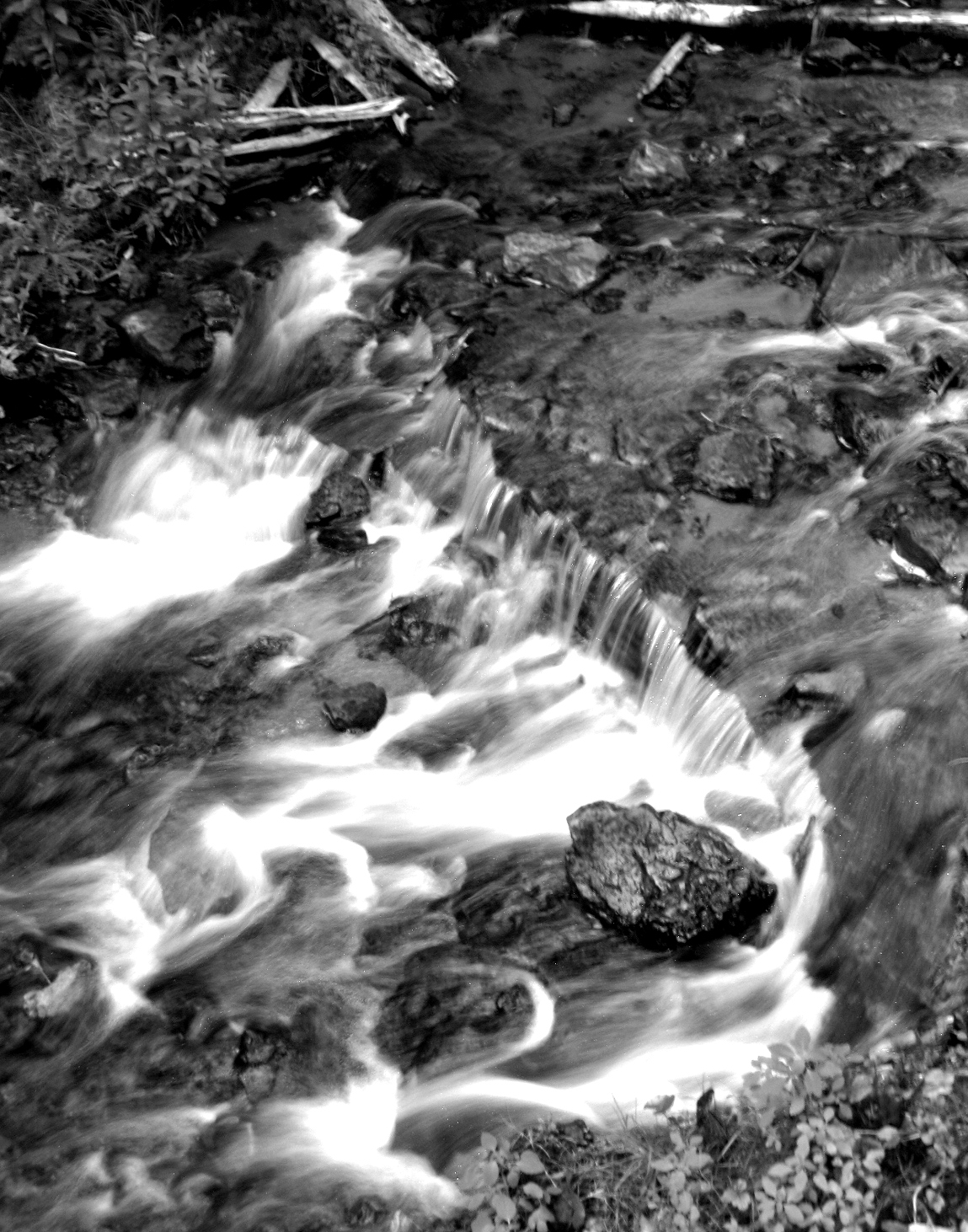
Water rushing over the rocks

To give the water a silky appearance as I have, you have to slow your shutter speed down.  Something close to a second should do the trick but play with the speeds till you get a shot you like.  If you don't have a dSLR you can try and use the night or firework setting but be sure to change your light meter (the +/- button) high on the + side to get more light in your picture. 

Water droplet on a coleus leaf


Tuesday, August 21, 2012

The 365 Project: Week 33


This week on Picaboo the theme/challenge was taking photos in the midday sun.  I forgot to submit my pictures for this week, so I lost my chance to get featured, oops!

My lil diva!  And check out my re-blooming lilacs ;)

Not every great photo opportunity comes with the ideal setting or lighting conditions but that doesn't mean you can't have great photos!  There are a few tips you can follow to make the most of what is available to you at the moment even though, I admit, not all of my own photos this week follow those tips! 
Bubble fun!

First, try to put the sun behind your subject if possible.  This eliminates squinting and still creates a nicely lit photo.  Find some shade preferably.

Momma and her twins raiding the birdfeeders

Check your white balance.  This is your cloudy, sunny, etc settings.  Use a custom setting if you can to balance out your colors better but if you can't my own go to setting is cloudy regardless of weather conditions.  It makes for a warmer photo if that makes any sense to you.  My photo subject is typically my daughter if not something nature related so I don't always have time to tweak my settings.

Can you tell she's been playing in the dirt?

Watch for color casting on your subject's face.  This is that color cast of from brightly colored clothing or items that can leave a tinge of unwanted color on their skin.  Try turning them different angles from the sun, find some shade, or put something white in front of them (but out of the photo) to help reflect more light on their face.  Color casting can be fixed somewhat in post processing but it can be tricky.  It's best to avoid it altogether.

Yeah I know, another photo of a bumblebee, but they're perfect little subjects!

Of course my personal preference for time of day is evening because of the golden lighting conditions but some of my favorite photos have been taken in the midday sun!


Wednesday, August 15, 2012

The 365 Project: Week 31 and 32

Rainbow Cove at the Pictured Rocks Natl Lakeshore in Munising, Mi
This week was all about taking photos of landscapes.  The photo above was featured in Picaboo's blog with the best of the week! I admit, some of these photos weren't actually taken this week, but they lend great examples of the theme along with the ones I did take this week!

Red rock outcrop in Marquette, MI

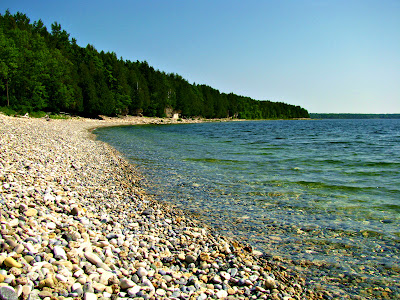
Slag beach at the mining ghost town in Fayette, MI

It should seem easy enough, but taking a quick shot of some pretty scenery doesn't always lead to a pretty photo.  You'll want to keep an eye on a few key items to get a great shot.  Watch your horizon; nothing ruins a great photo like a slanted horizon.  This can be fixed in post-processing depending on your software but it's so much easier to get it right the first time.  Turn on your camera display's grid lines (usually an option in the menu) to help you line up your shot.  Consult your manual if you don't know how.
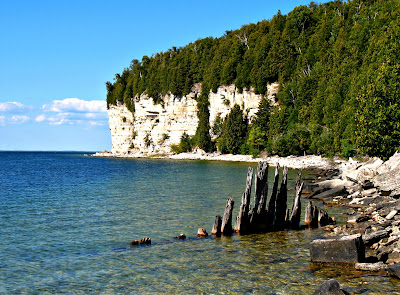
Limestone cliff and old pilings at Fayette, MI

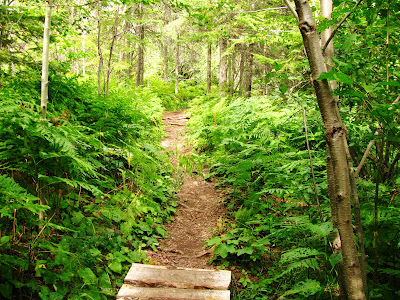
A hike in the woods, Hunter Point Park in Copper Harbor, MI

Pick a focal point.  Look for something interesting to focus your camera on.  Use leading lines, a tree, rock outcrop or other interesting feature to draw your viewer's attention and make them feel like they are there with you.  Try capturing a sense of movement if you can: waves on the beach, wind in the trees etc.  You can also create an interesting focal point by using creative angles.  Take a photo looking straight up a cliff face, from a high vantage point, or from the side.  Be creative!
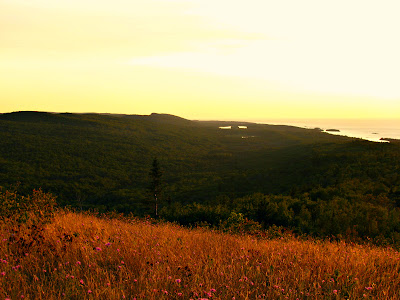
Golden light at sunset on top of Brockway Mtn in Copper Harbor, MI

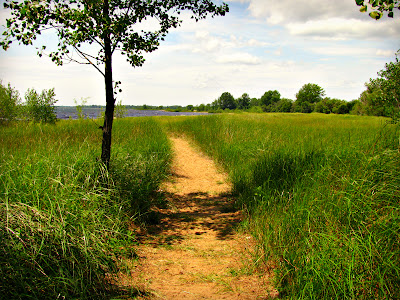
Trail to the beach in Escanaba, MI

This isn't listed in the Picaboo tutorial but keep in mind your time of day.  Early morning and evening give softer lighting and create a more "dreamy" look.  Bright, direct sunlight gives crisp angles and dramatic shadowing.  The best midday lighting is on a partly cloudy day, when the clouds act as a natural light diffuser.
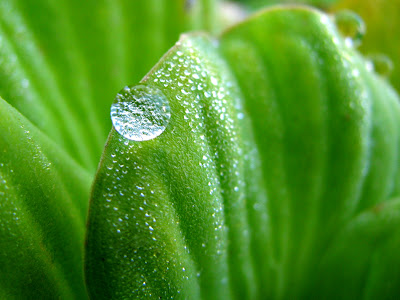
Drop of dew on water lettuce

For week 32, Picaboo had a tutorial on resizing your photos to look better on Facebook and also had a challenge of showing size in your photos.  My photo above was featured in Picaboo's Blog featuring the best of the week!
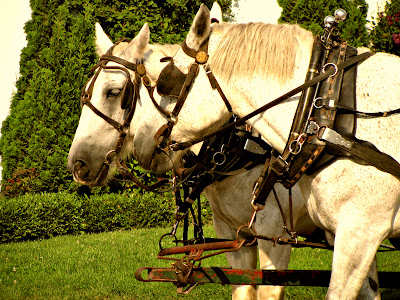
We went to Mackinac Island and I loved taking photos of all the horses!

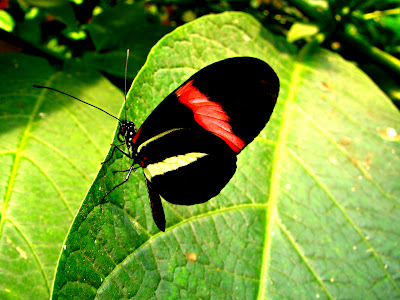
An exotic Red Postman butterfly at Mackinac Island's Butterfly House.

I don't really have a tutorial to go over with you since resizing your photos specifically for Facebook has nothing to do with photography in my opinion.  As for showing size, you really can interpret that however you wish and I know not all my photos this week show it. My favorite way is through macro photography.  I love making tiny details larger than life (such as the tiny drop of dew). If your camera has a macro setting, it will be a flower icon on a button.  If you have a dSLR, you need a macro lens depending on how close you want to get.
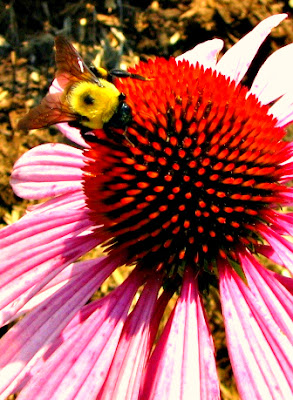
Busy bee on a purple cone flower

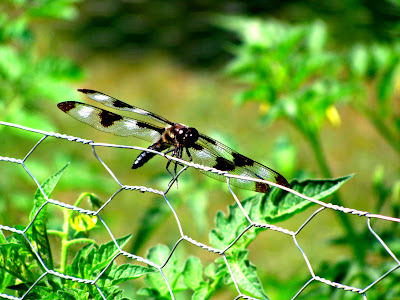
I needed a lot of patience and good timing for this flitting dragonfly!

You can also show size using dramatic perspective.  Make a tree or other tall object look gigantic by taking a photo close to the trunk and look up or there's your classic "look I'm holding up a mountain" pose that you see in family vacation photos.  Have fun with it!
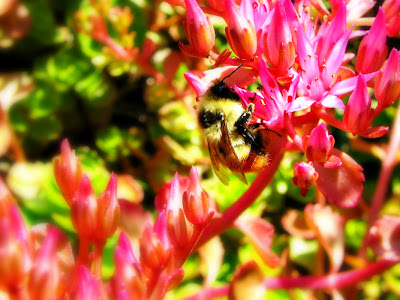

Another busy bee this time on my sedum flowers

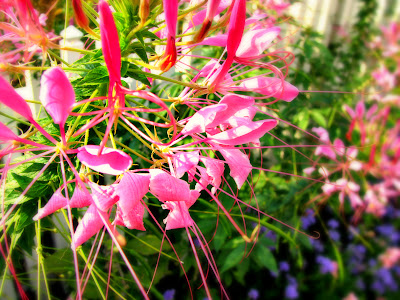
I have no idea what this flower is but it's gorgeous!